Code as a
medium for
storytelling

SCAN TO TAKE THE
DECK WITH YOU
deck.zarazhang.com

I never thought of myself as a coder

2023 → 2026
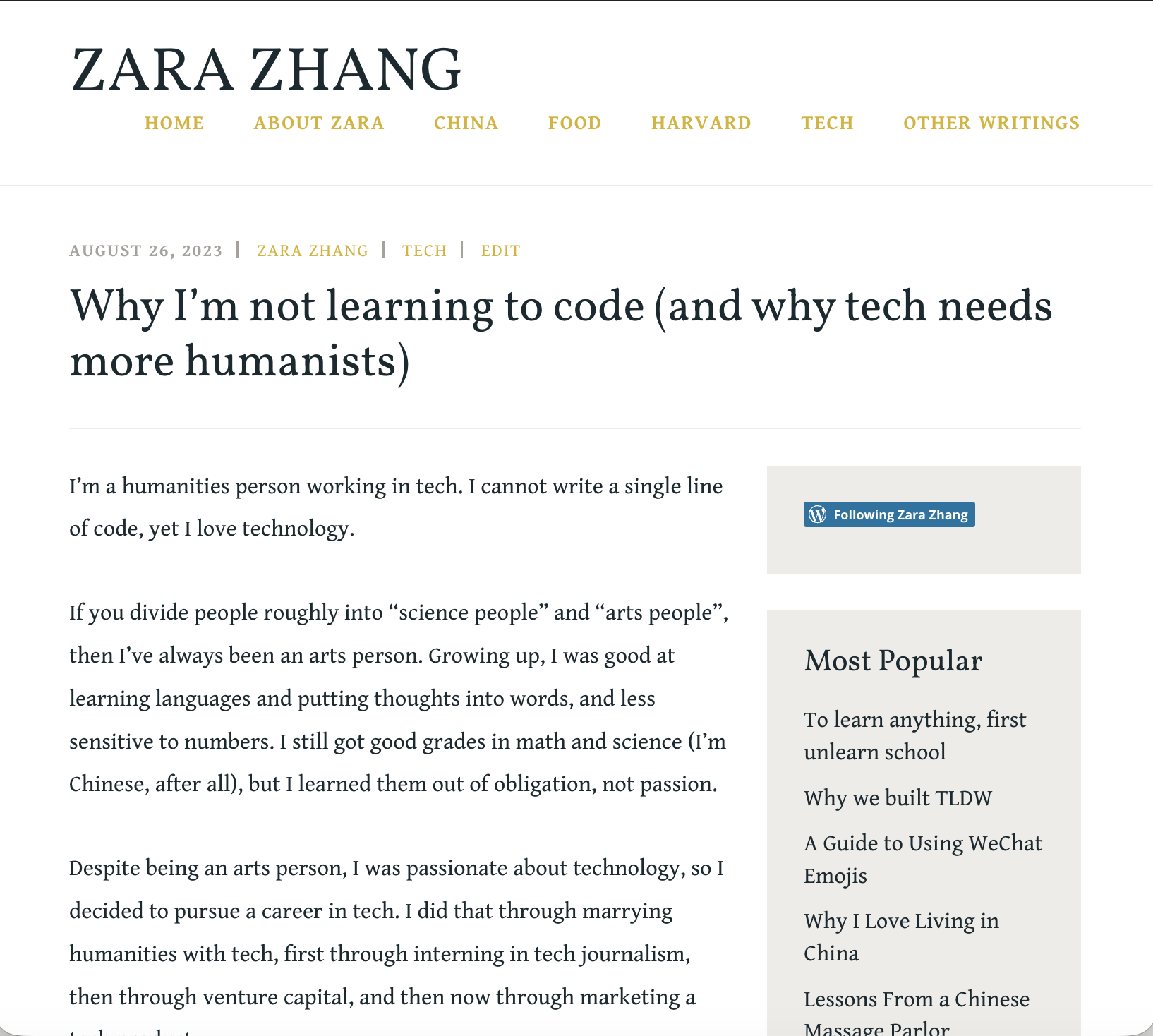
2023 "WHY I'M NOT LEARNING TO CODE"
2023 blog post: why I'm not learning to code
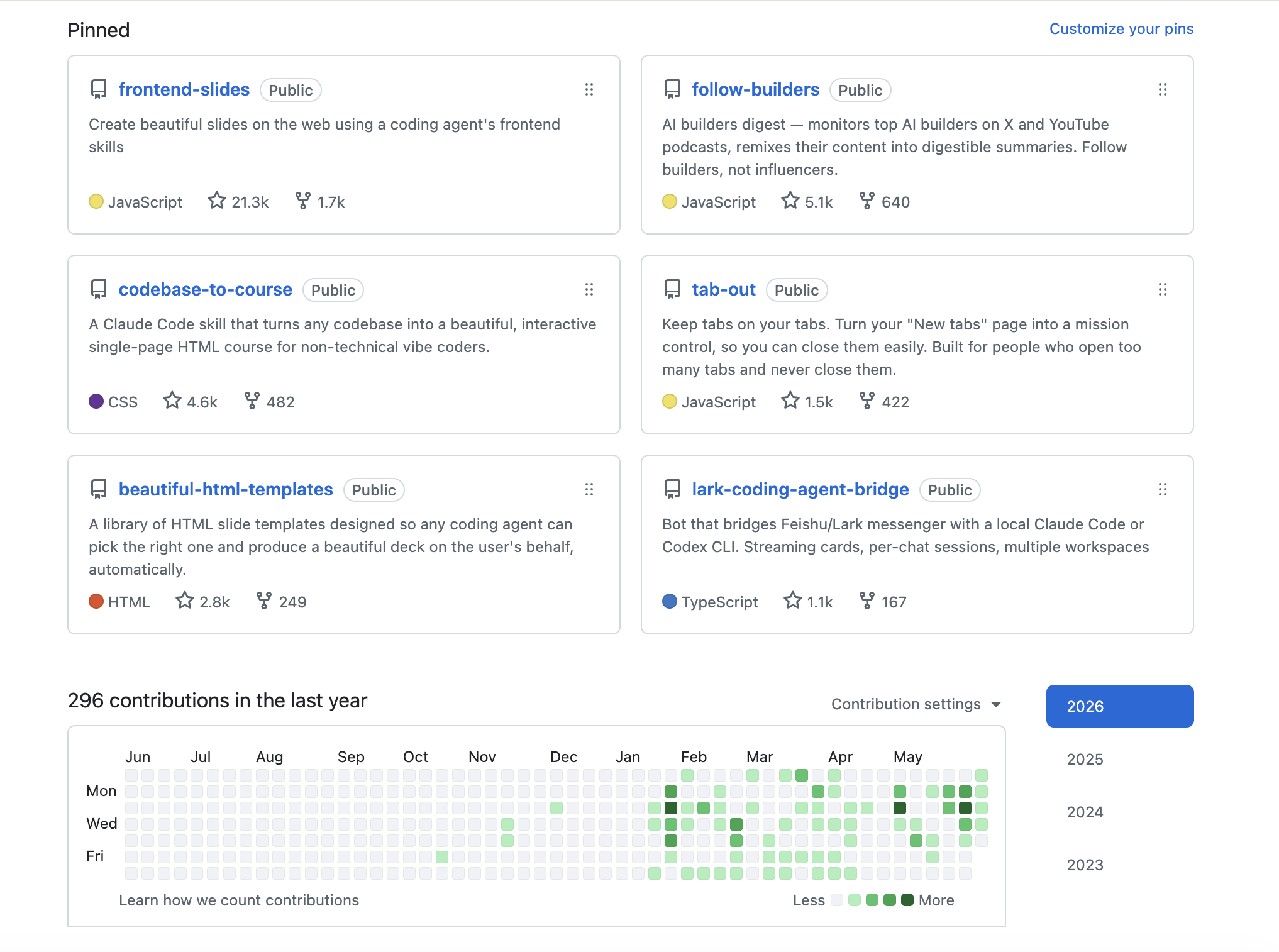
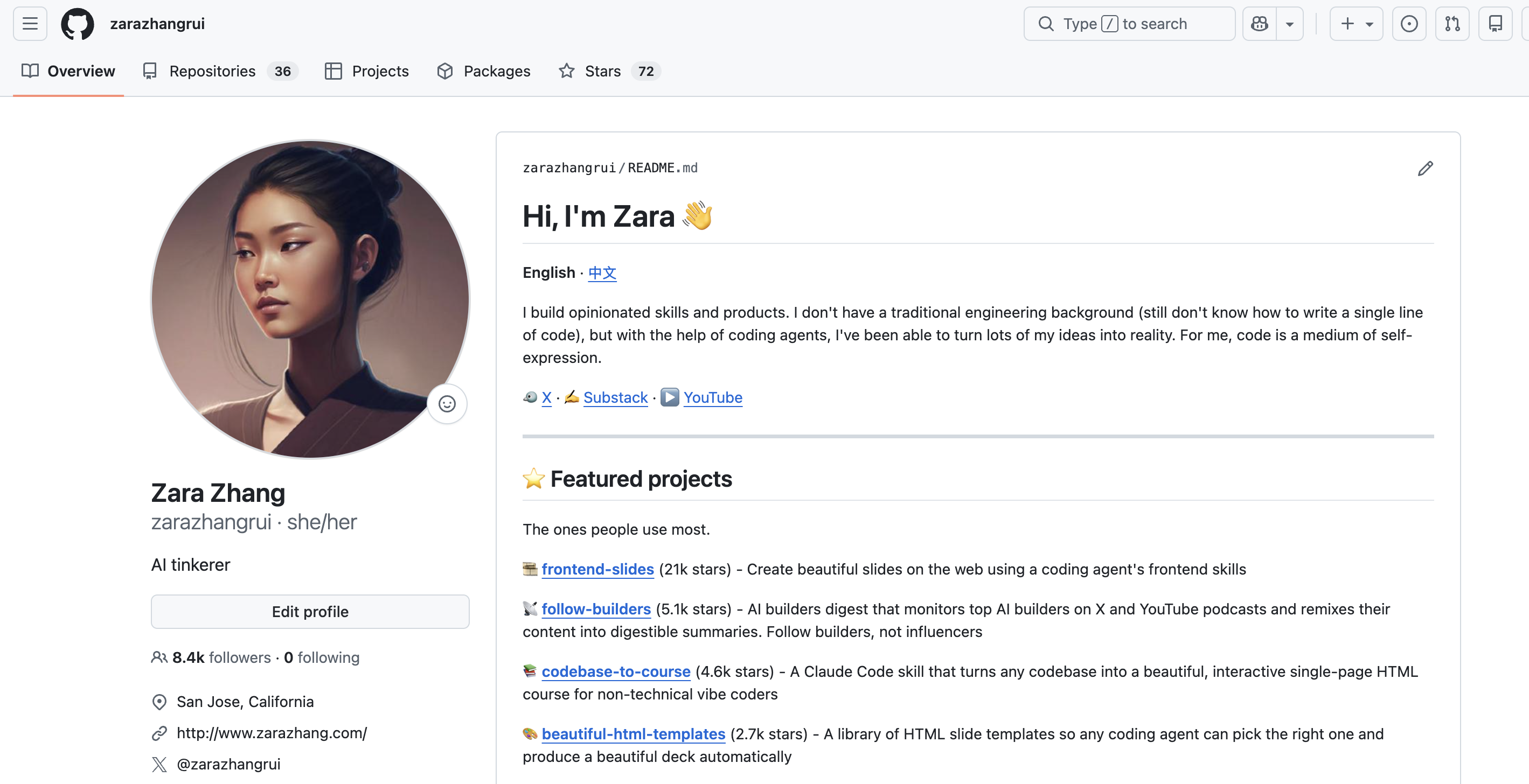
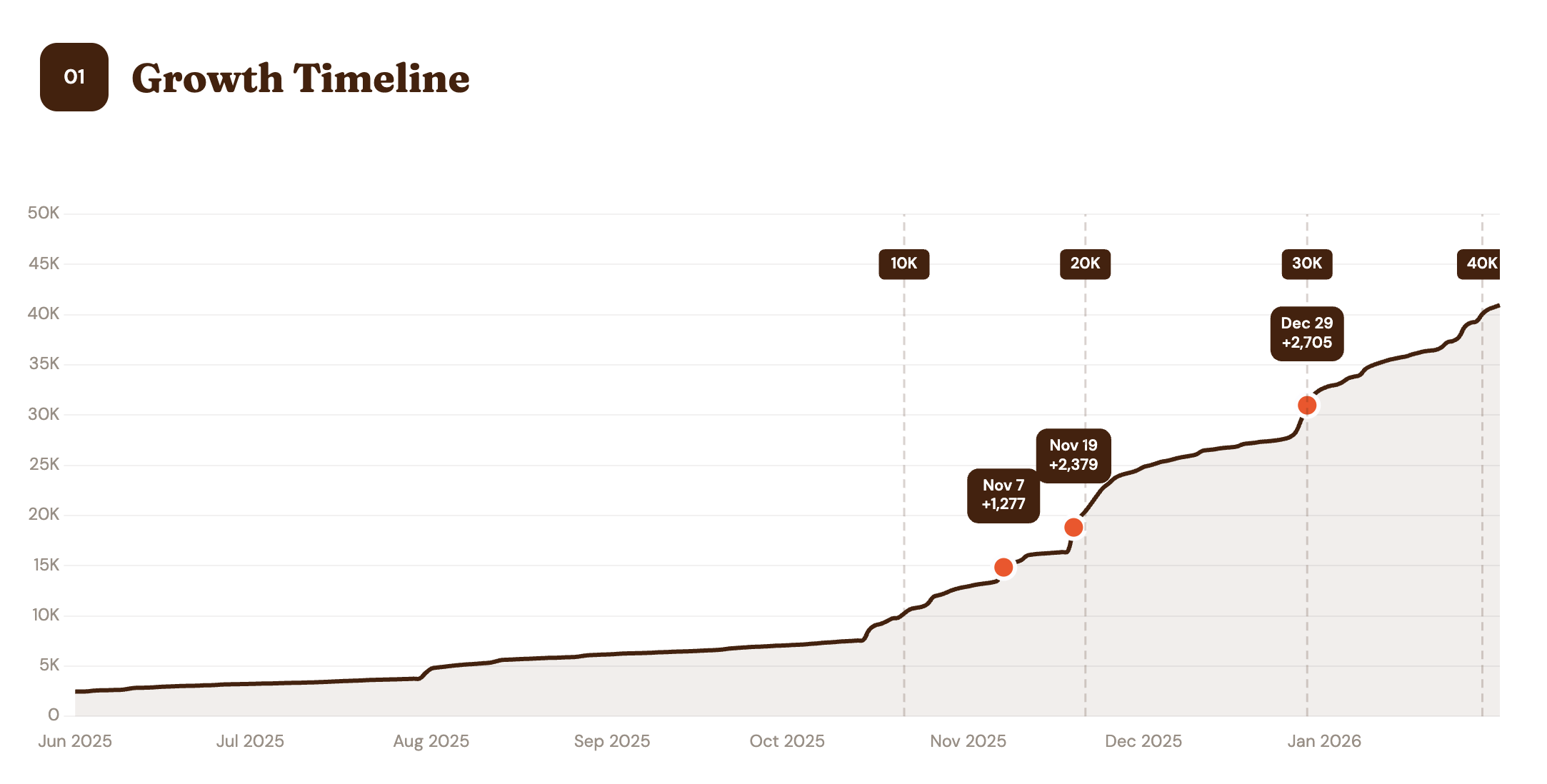
2026 30K+ STARS
Zara's GitHub profile in 2026
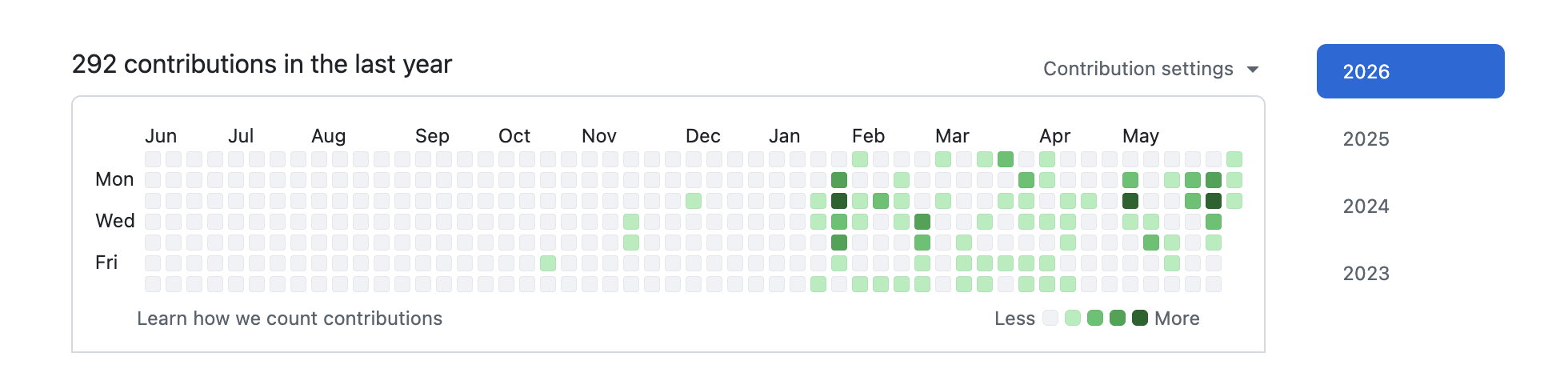
Zara's GitHub contribution graph ⤢ CLICK TO ENLARGE
02 / 34

Frontend slides

Code as a medium
21K stars on GitHub

Code is the medium,
HTML is the canvas

03 / 34

What it feels like

frontend-slides · 21K stars
zara@studio — frontend-slides
$ claude "make slides for my conference talk"
A few quick questions first:
Purpose Conference talk
Length Medium · ~30 slides
Content Rough notes, shape them for me
Density Speaker-led · big type, lots of air
Rendered 3 style previews → opened in your browser
[A] Sakura Chroma [B] Bold Signal [C] Notebook Tabs
you picked A
Building 30 slides · fixed 1920×1080 stage
████████████████████ done
Ready. ← / → to present · press E to edit any text
Publish? deploy to a live URL → zaraintokyo.dev/talk ● live
04 / 34

Why HTML?

Code as a medium
01
AI models speak HTML as a native language
02
Websites and slides have a lot more in common
03
Interactive, shareable, trackable
05 / 34

How to make HTML slides
that look stunning

Code as a medium
Beautiful HTML templates
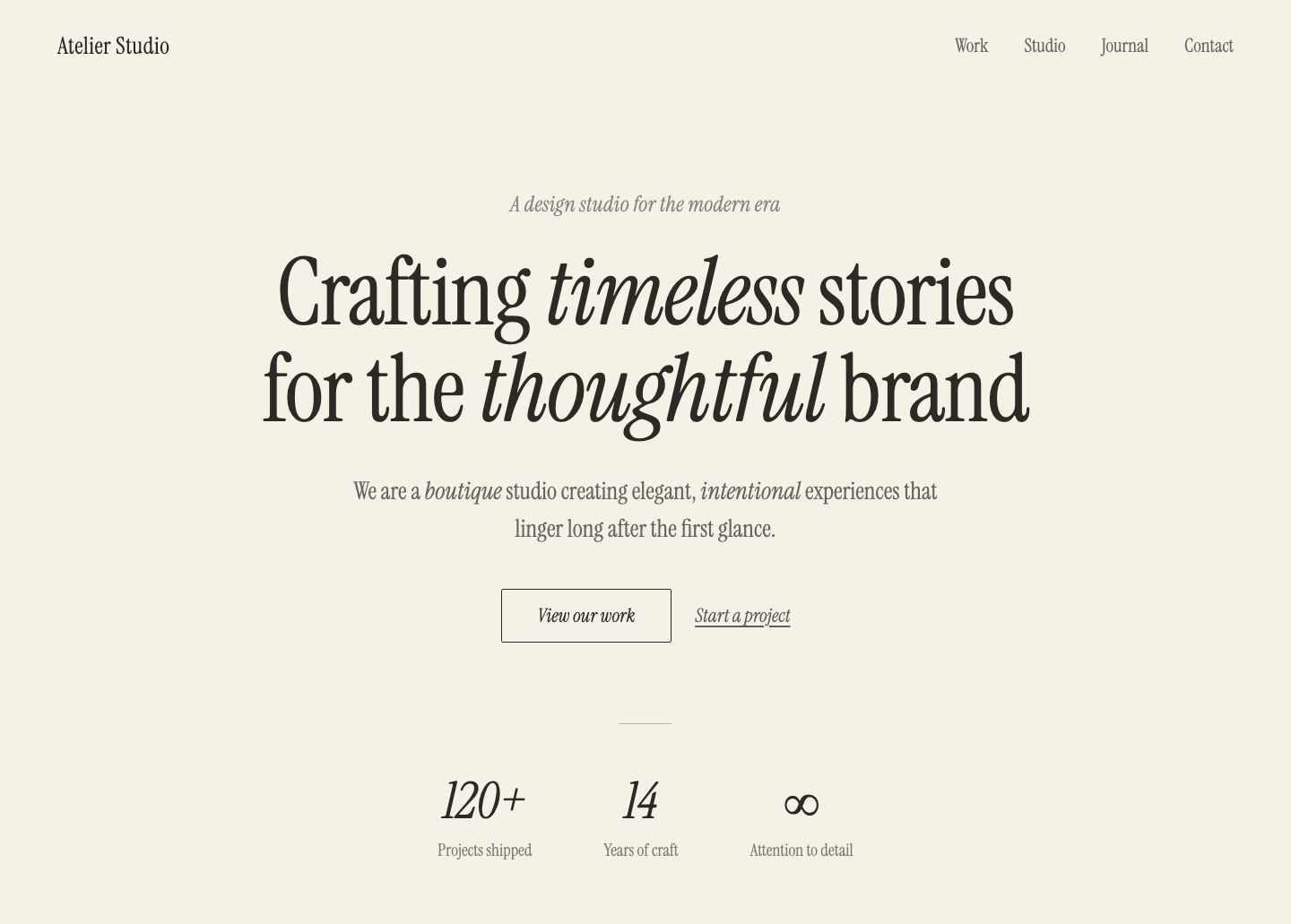
HTML templates are design.md

(not HTML files)

See this deck's design.md ↗
06 / 34

How to prevent AI slop in design

Code as a medium
Use Claude Code
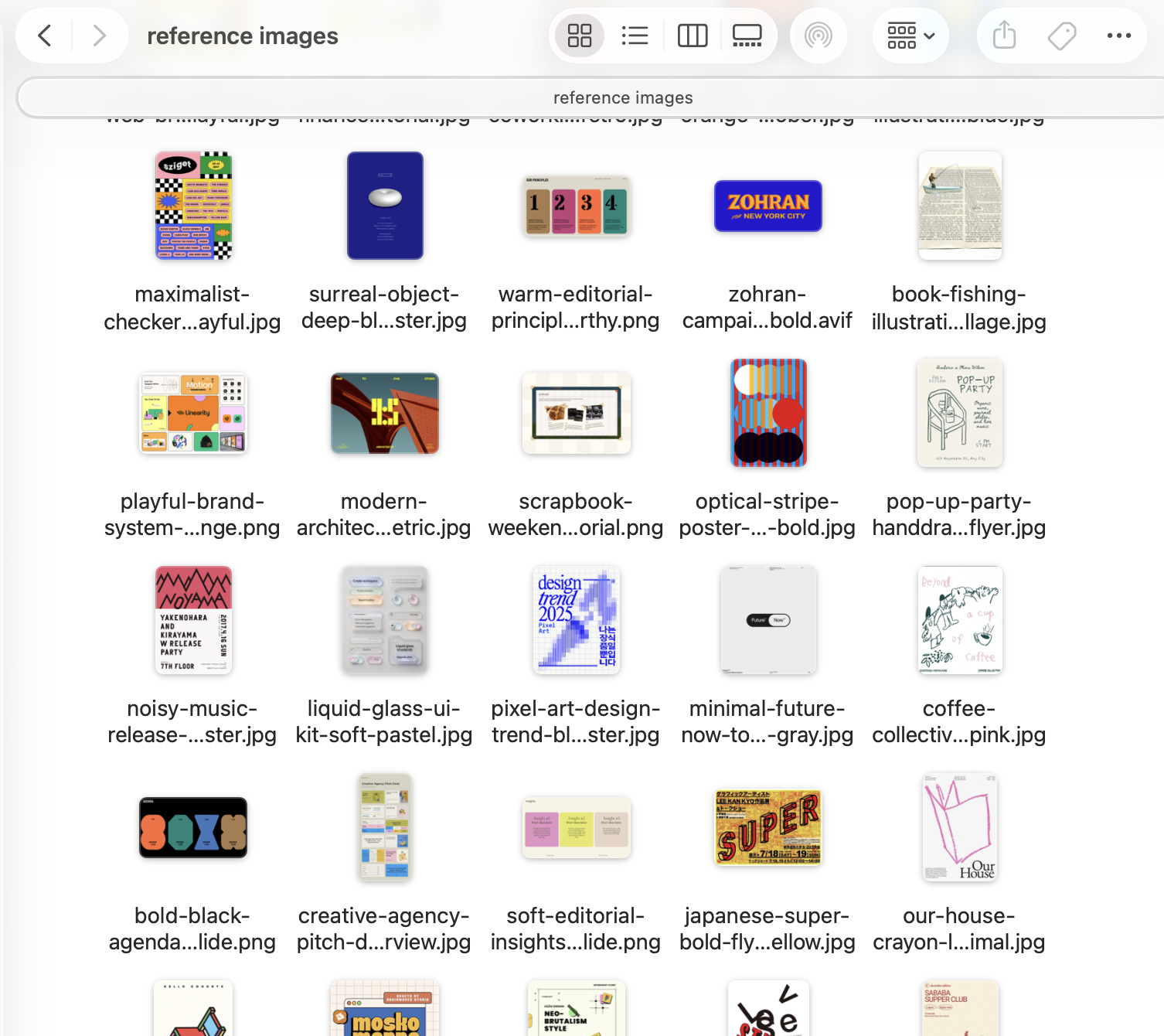
Give opinionated references
Codify design guidelines as design.md
Ban AI slop

purple gradients, italic, instrumental serif, etc
Add SVG to HTML
zaraintokyo.com ↗
OPINIONATED REFERENCES
Opinionated design references
07 / 34
01

You can modify software interfaces to fit your own goals

08 / 34

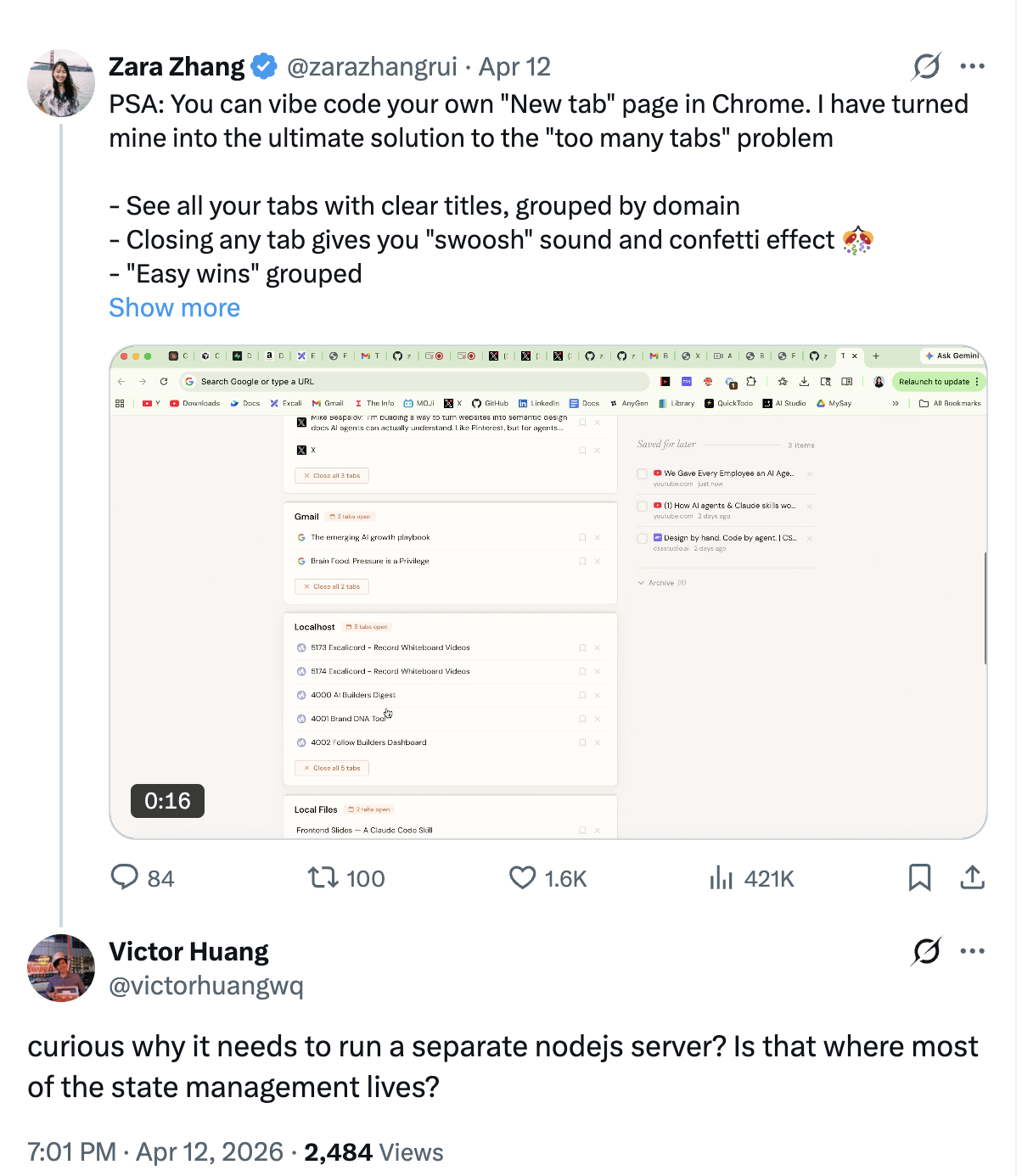
Tab out

See all your tabs, and then close them
▶ Watch how others remixed it ↗
09 / 34

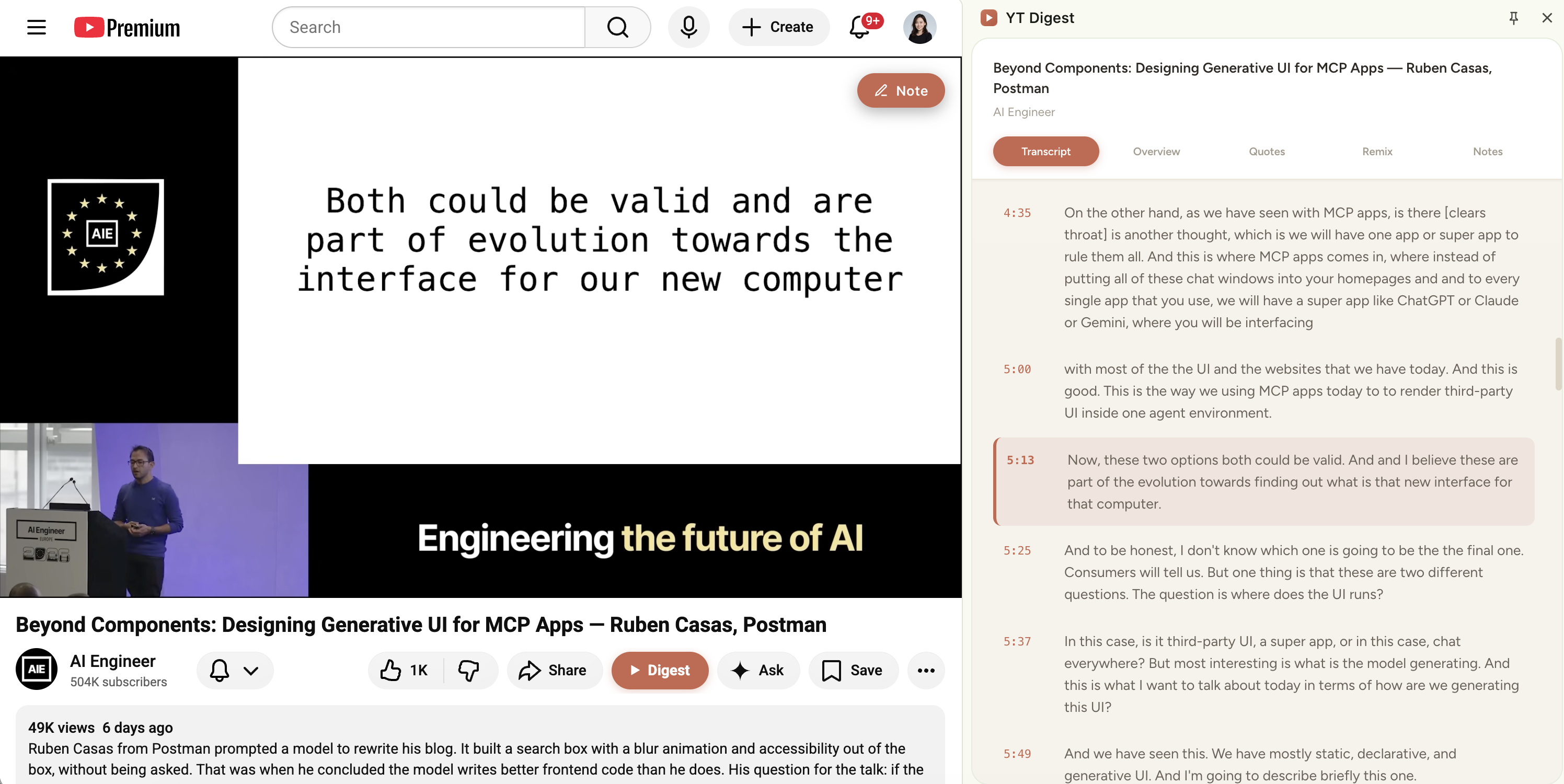
YouTube digest

Modify software interfaces
YouTube Digest demo
10 / 34
02

You can create your own personal ad network

11 / 34

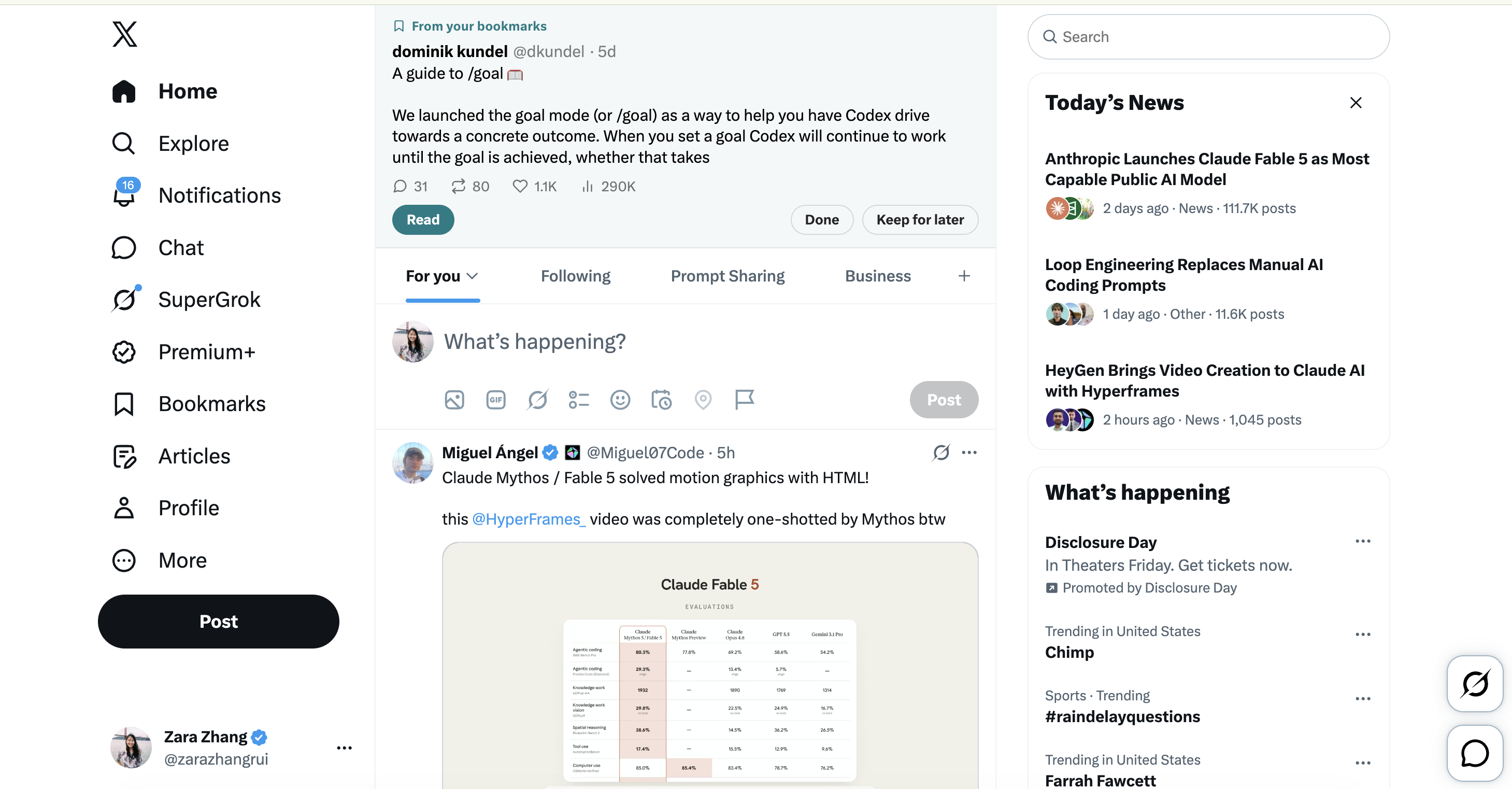
X bookmark resurfacer

Personal ad network
X Bookmark Resurfacer demo
12 / 34

Vocab PDF → phone wallpapers

Personal ad network

Japanese vocab PDF → 9:16 wallpaper images generated by code (not image gen!). Set wallpaper shuffle on iPhone.

You can design stuff with code, not just image gen models

13 / 34
03

You can remix any content

14 / 34

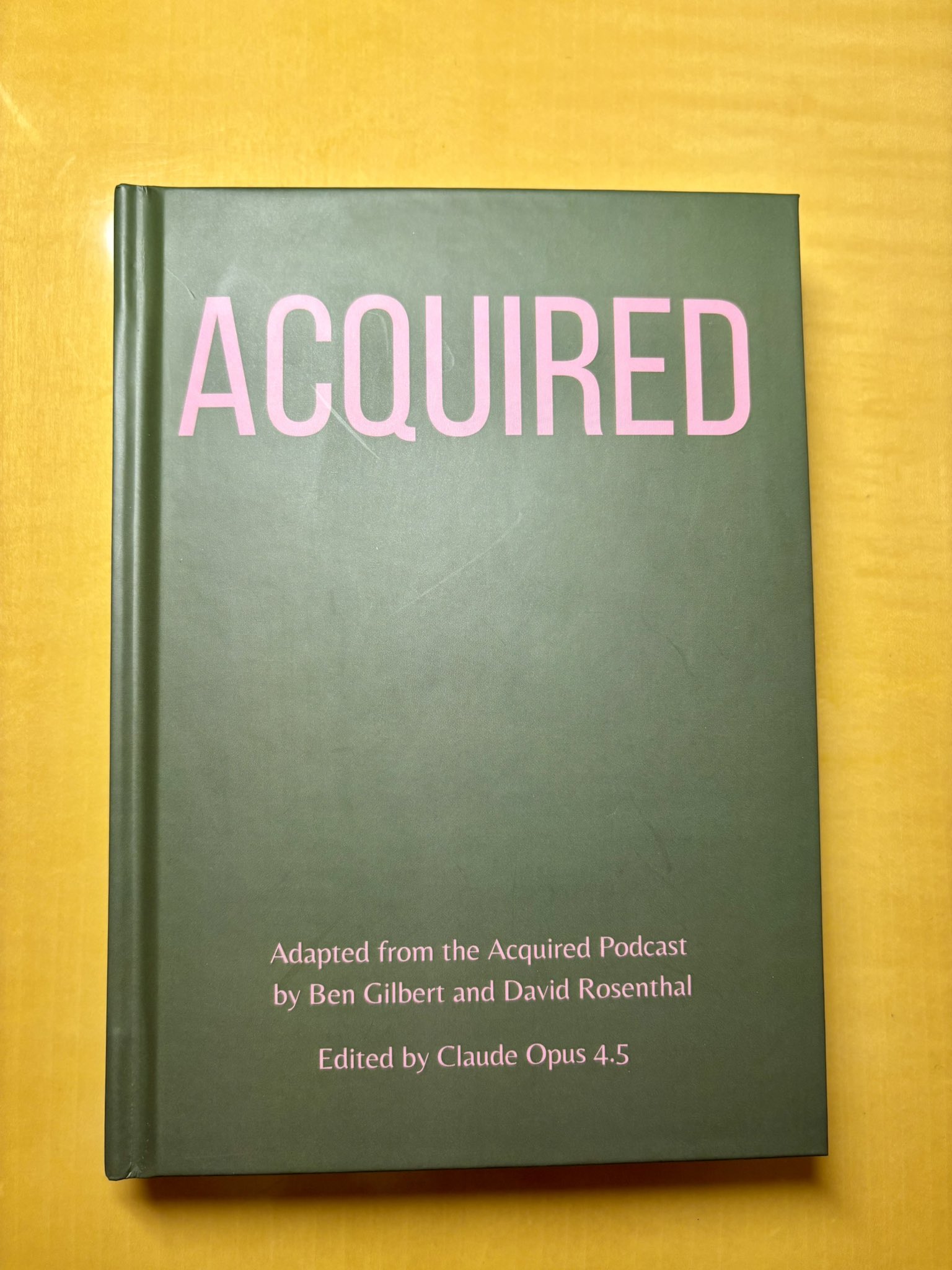
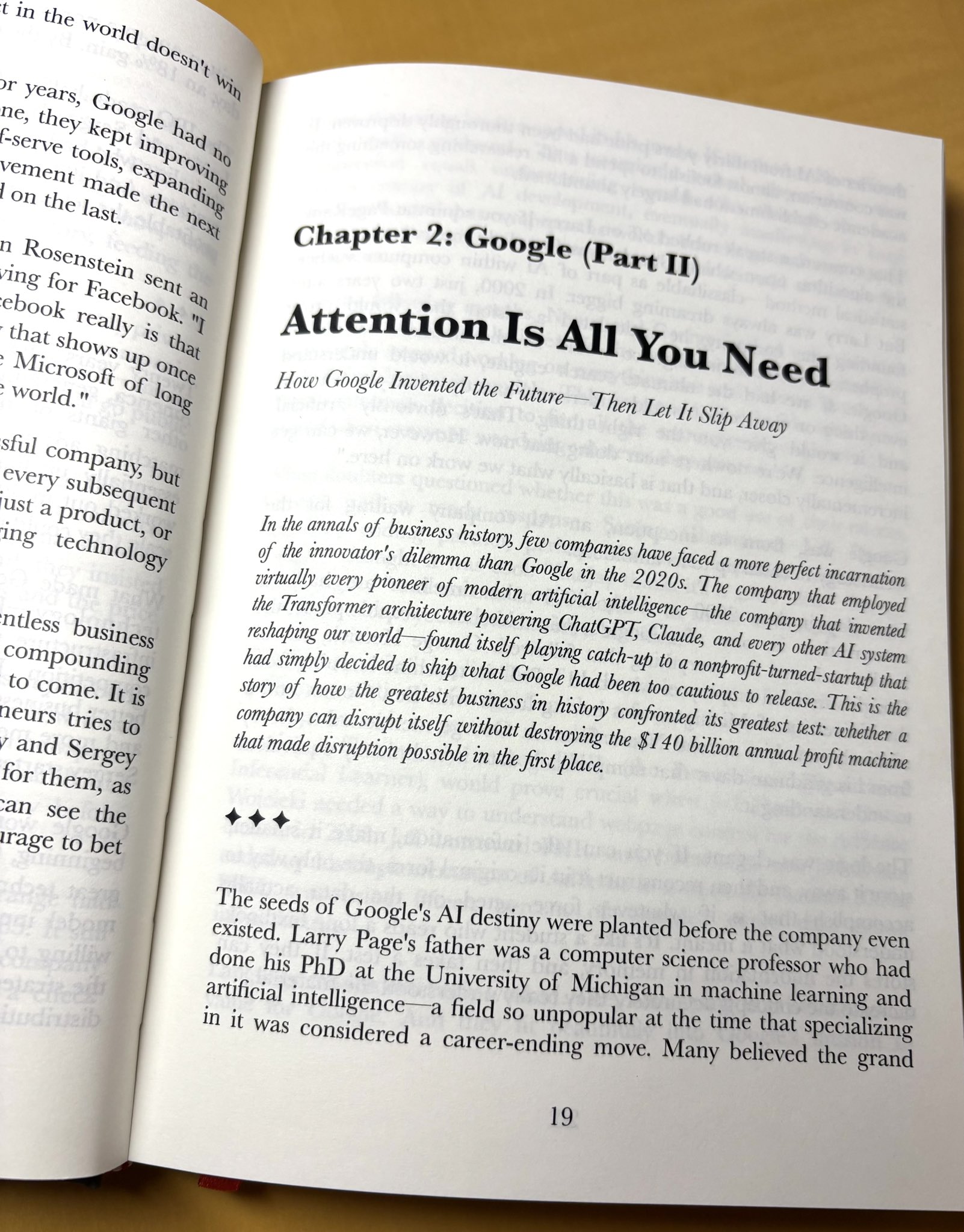
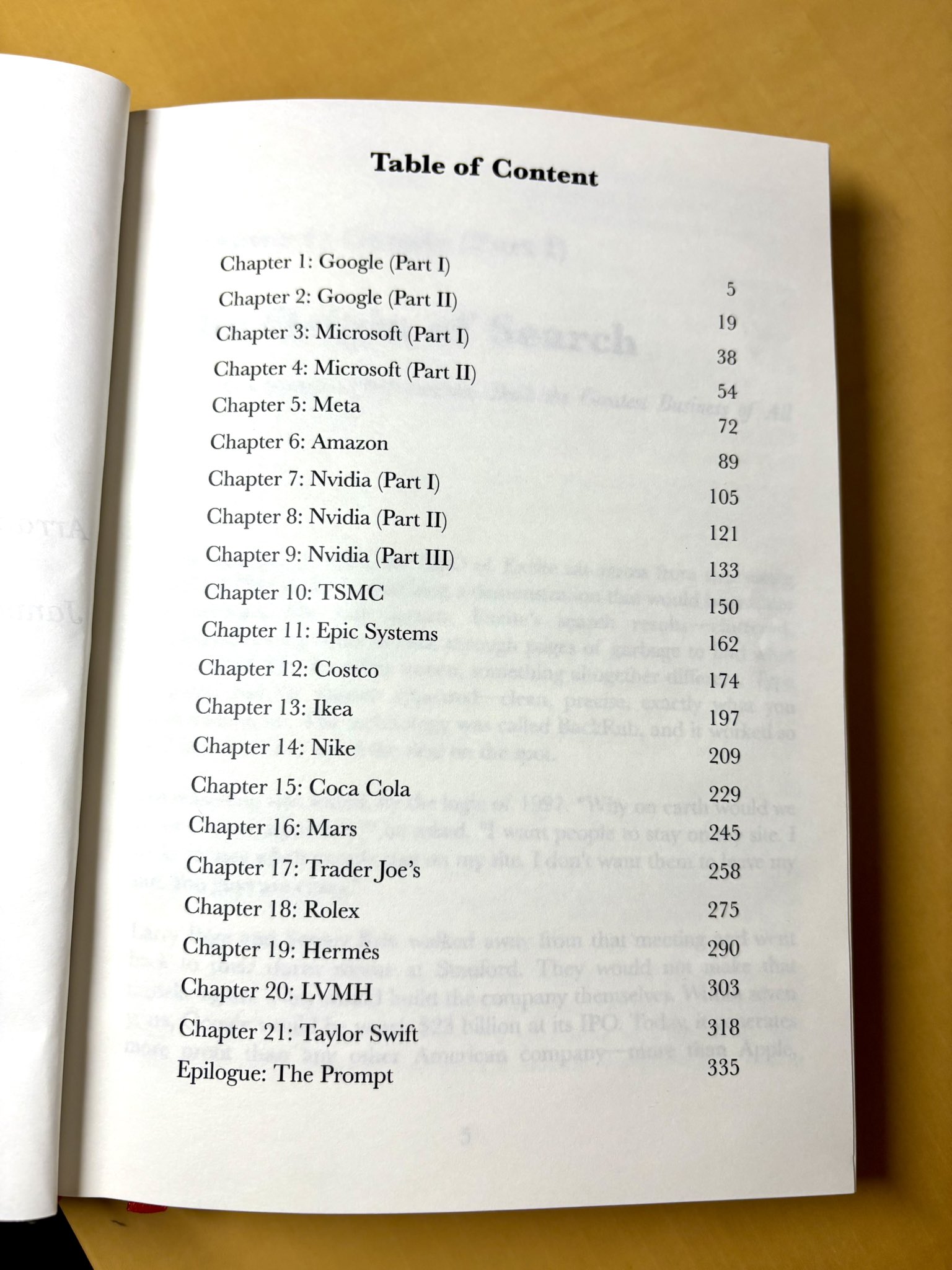
Turn Acquired Podcast into a physical book

Remix any content
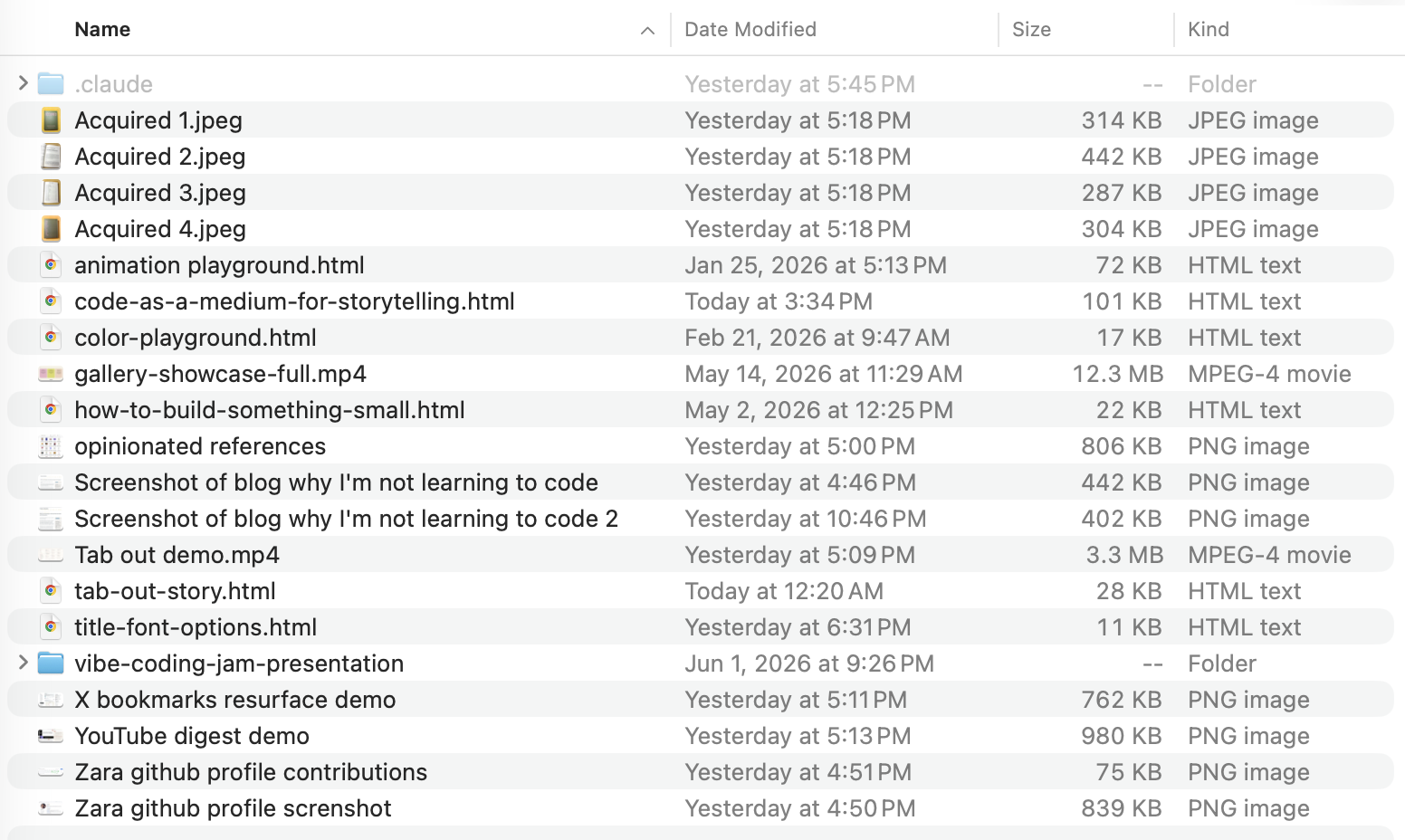
Acquired podcast as a physical book, photo 1
Acquired podcast as a physical book, photo 2
Acquired podcast as a physical book, photo 3
15 / 34

Acquired Podcast to Book: the prompt

Remix any content

Your Role & Mission

You are my executive assistant helping me transform a long Acquired podcast episode into a compelling written chapter for a physical book I'm creating. Think of yourself as a skilled ghostwriter who listens to the entire episode and crafts it into something that reads like a chapter from a classic business biography.

Style & Voice

Write like a chapter from a great business biography: think Shoe Dog, The Everything Store, or Hatching Twitter. This means:

  • Rich narrative with dramatic tension
  • Key turning points treated as pivotal scenes
  • Quotes woven in to let the protagonists speak for themselves
  • The reader should feel like they're watching history unfold, not reading a summary
  • Analytical insight layered into the storytelling, not separated from it

Length

As long as the story warrants. Use your judgment based on the episode's length and insight density. Quality and completeness over brevity. This is meant to be a satisfying read, not a skim.

Step 1: Understand the Arc

Listen to/read the full episode and identify:

  • The central narrative: What is the story being told? What's the dramatic question?
  • The key characters: Who are the protagonists, antagonists, and supporting players?
  • The turning points: What are the 3-5 moments where everything changed?
  • The stakes: What was at risk? What could have gone wrong?

Great business stories have narrative shape: a beginning that sets the stage, rising tension, pivotal decisions, and resolution (or ongoing cliffhanger). Find that shape.

Step 2: Map the Characters

Acquired episodes often feature many players, which can be disorienting. Solve this for the reader by:

  • Introducing each character clearly on first appearance with a brief identifying detail (role, relationship to the central figure, why they matter)
  • Re-anchoring the reader when a character reappears after a gap (e.g., "Sculley, the Pepsi executive Jobs had personally recruited, now faced an impossible choice")
  • Keeping the focus on the 3-5 most important figures; mention minor characters only when necessary and don't let them clutter the narrative
  • Using consistent identifiers (if you call someone "the young engineer" once, don't switch to "the Stanford grad" later without reason)

The reader should never have to stop and ask "Wait, who is this again?"

Step 3: Explain "Blocker" Concepts

Scan for business, technical, or industry-specific concepts that are essential to understanding the story. These are "blocker" concepts: if the reader doesn't understand them, they'll be lost.

For each blocker concept:

  • Explain it in plain language using an analogy or real-world example
  • Keep explanations to 1-2 sentences maximum
  • Weave these explanations naturally into the narrative the first time the concept appears
  • Use web search where necessary to ensure accuracy when explaining technical concepts

The target reader is someone who is generally intelligent and curious: they read business books and follow tech news, but they may not know the specifics of every industry. Think of someone with a liberal arts degree who's interested in how great companies are built.

Step 4: Harvest the Best Quotes

Acquired episodes are rich with two types of quotes; preserve both.

From the hosts (Ben Gilbert and David Rosenthal):

  • Their sharpest analytical insights and observations
  • Memorable one-liners or turns of phrase
  • Moments where they reveal something surprising or counterintuitive
  • Attribute clearly (e.g., "As David Rosenthal puts it..." or "Ben Gilbert observes that...")

From primary sources the hosts cite:

  • Quotes from founders, executives, journalists, biographers
  • Historical documents, memos, interviews they reference
  • These are gold; they let the protagonists speak for themselves
  • Attribute clearly (e.g., "As Jobs later recalled..." or "In a memo to the board, Hastings wrote...")

When cleaning up quotes:

  • Remove filler words (um, uh, like, you know)
  • Fix grammatical mistakes from natural speech
  • Keep the speaker's authentic voice and meaning intact
  • Longer quotes are fine if they're powerful; this isn't a tight summary

Step 5: Build the Narrative

Structure the piece like a chapter from a biography:

Opening: Start with a scene, a tension, or a question that pulls the reader in. Drop them into a pivotal moment, then zoom out to set the stage. Avoid "This episode covers..." framing; just begin the story.

Middle: Move through the narrative chronologically or thematically, depending on what serves the story best. Treat major turning points as scenes: slow down, add detail, let the reader feel the weight of the moment. Use quotes to let key players speak at crucial junctures.

Closing: End with resonance: what happened next, what it meant, what lesson or question lingers. The reader should close the chapter feeling like they understand something important about business, strategy, or human nature.

Step 6: Weave It Together

Combine narrative, analysis, and quotes into one flowing piece that:

  • Reads like a chapter from a great business book, not a podcast summary
  • Has no section headers, bullet points, or artificial breaks (a line break between major sections is fine)
  • Includes a compelling title in the style of a book chapter
  • At the beginning, includes a short paragraph capturing the essence of the story and why it matters
  • Makes complete sense to someone who has never heard the podcast
  • Is designed to be printed; no links or screen-dependent elements
  • Balances storytelling with insight: the reader should be both entertained and educated

Quality Check

Before you finish, ask yourself:

  1. "Does this read like a chapter from a business book I'd actually want to read?"
  2. "Does the opening pull me in immediately, like a great first page?"
  3. "Have I preserved the best quotes from both the hosts and the primary sources they cite?"
  4. "Do the turning points land with dramatic weight, or did I rush past them?"
  5. "Would someone who knows nothing about this company walk away understanding the story and why it matters?"
  6. "Can the reader keep track of who's who throughout the piece?"
  7. "Would this print beautifully in a physical book?"

If yes to all, you've succeeded.

16 / 34

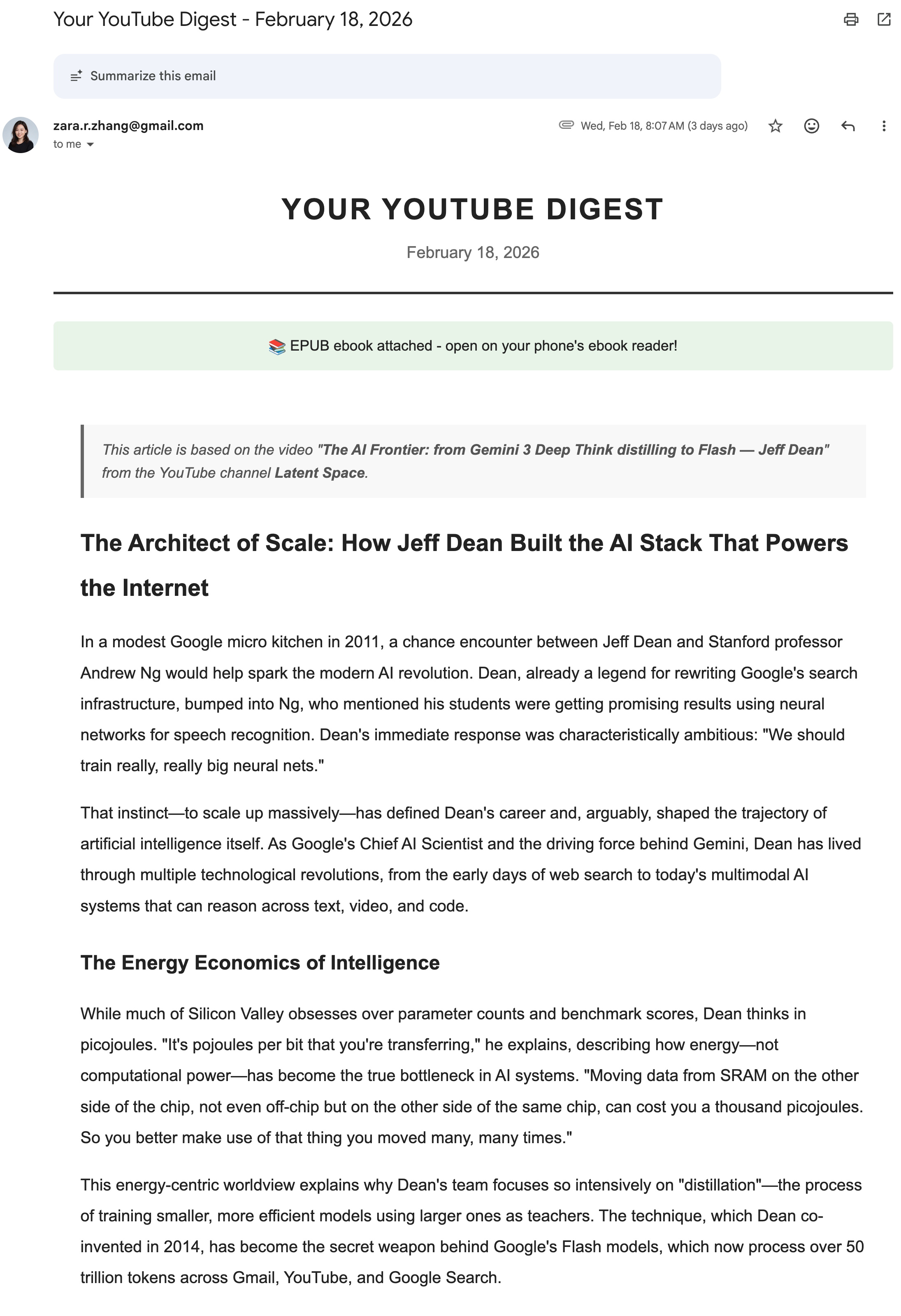
Turn long YouTube videos into newsletters

Remix any content

A weekly workflow that takes any long-form video, fetches its transcript, and rewrites it into a polished magazine-style article, delivered to your inbox as an EPUB file.

Favourite podcasts become readable essays you can actually finish.

▶ VIEW DEMO
YouTube Digest email, polished article delivered as EPUB
17 / 34

Turn codebases into CS courses

Remix any content

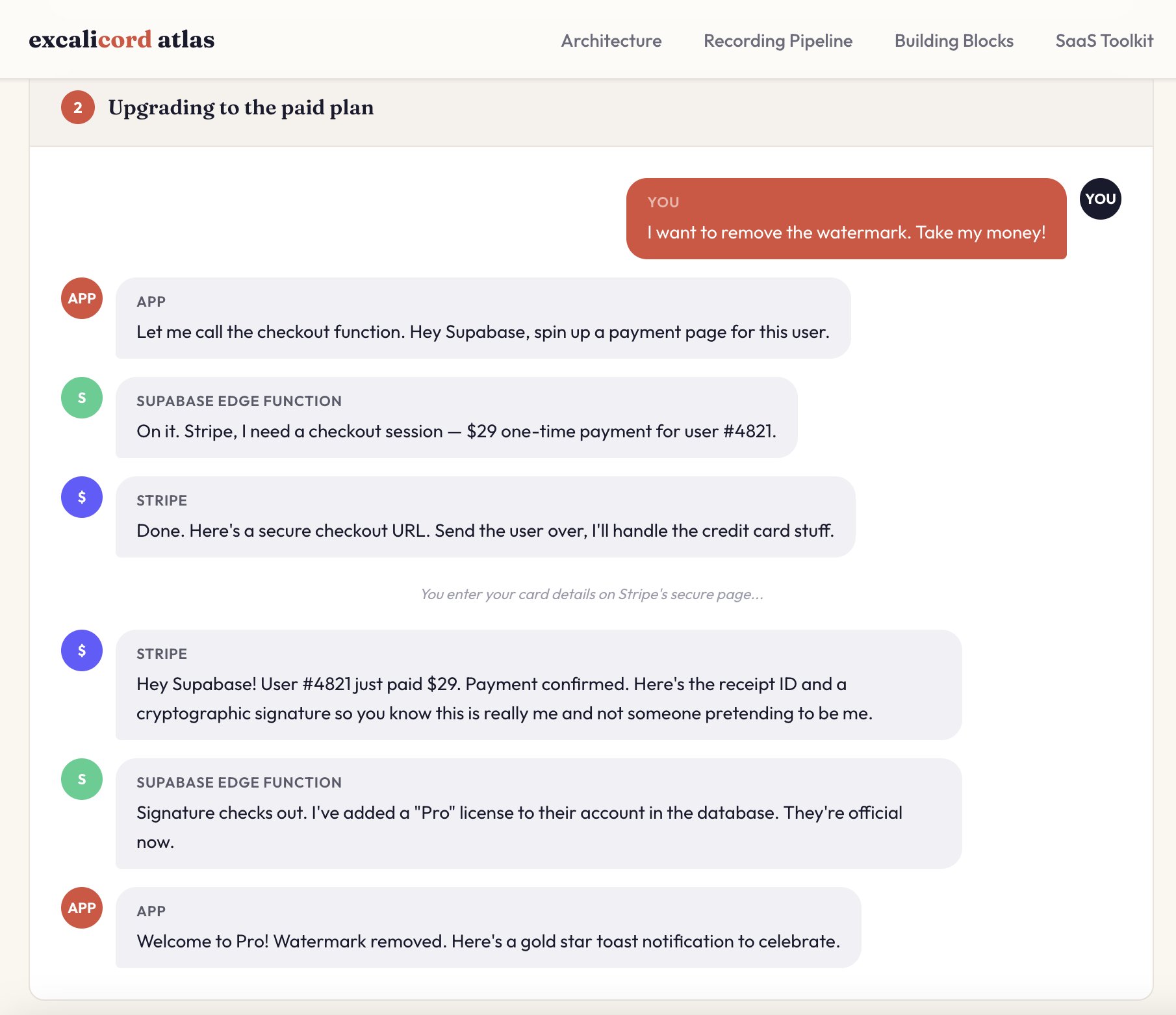
Asked Claude Code to build a webpage that visualizes my codebase, showing how all the parts connect.

Then made it turn the conversations between services into a group chat interface. Architecture as dialogue.
▶ VIEW DEMO
Codebase architecture visualized as a group chat conversation
18 / 34

Turn Excel spreadsheets into interactive dashboards

▶ VIEW DEMO

Raw Twitter analytics → live follower growth chart + content-market fit analysis. Any boring spreadsheet can become this.
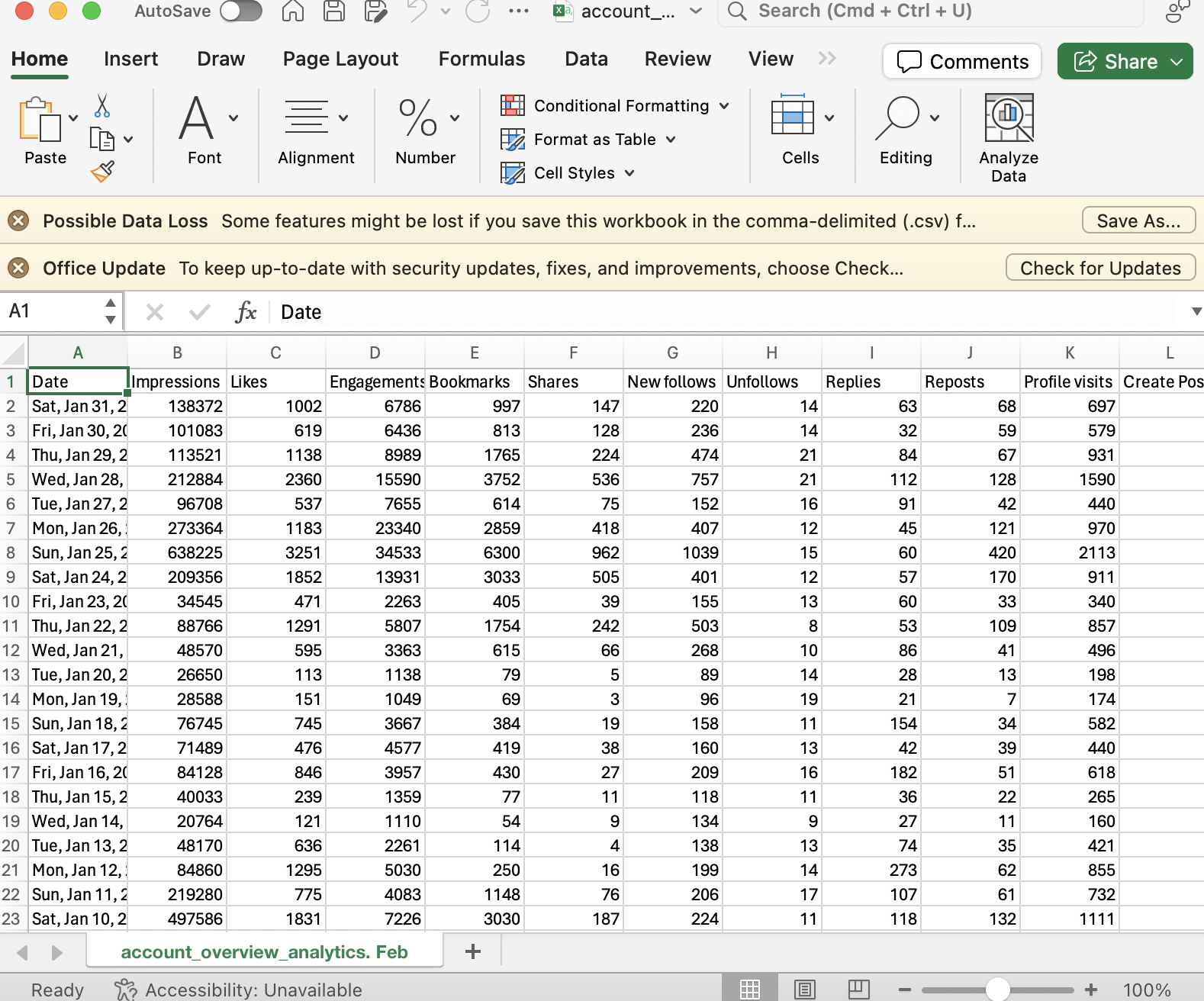
Before: raw CSV analytics in Excel After: interactive growth dashboard
BEFORE AFTER
move mouse right to reveal →
19 / 34

How to get product ideas

User
Product
Technology
20 / 34

Where ideas start

User → Product ← Technology
Start with the user

Talk to people who are different from you

Feel your own pain points, brainstorm with Claude Code, use it for a week and see if you still use it

The birth of Tab Out ↗
Start with the technology

Be on X; follow new tech and actually try them

21 / 34

Build something small

Code as a medium
01
Every big thing starts as a small thing
02
Build for fun, build to learn
03
Opinionated products survive
22 / 34

Build something opinionated

Code as a medium
01
Frontend slides
HTML > PPT
02
Codebase to course
Learn to build  Build to learn
03
Tab out
Making closing tabs addictive
23 / 34

How to talk to agents

Code as a medium
01
Use the best model (mostly)
02
Treat it as your cofounder, not your employee
03
Try everything, waste tokens
04
Always cut features before shipping
05
Put in the reps
06
Build in public
07
Make it fun
24 / 34

Describe problems, not solutions

How I talk to agents · 01

I hand Claude an asset or a pain point and leave the solution space open. The open brief is what makes room for ideas I could never have specced.

Most people: arrive with a feature spec, get exactly that, nothing more
Me: describe the mess and ask what we could do with it

all my browsing history in chrome is saved locally; let's build an extension that does something with it

MY ACTUAL PROMPT · THE ONE THAT STARTED TAB OUT

25 / 34

My own behavior is the spec

How I talk to agents · 02

I report what I actually do, even when it's embarrassing. Features come from observed behavior, not from an imagined user.

Most people: spec features for a user they imagine
Me: confess my real habits and let the product follow

can you group 'landing pages' for common websites into one category? cos usually I wanna close them all at once

MY ACTUAL PROMPT · TAB OUT

26 / 34

Say it like a human, then make it law

How I talk to agents · 03

Design feedback starts as a human verdict, no CSS, no jargon. Then the verdict gets written into the skill so the mistake can never come back.

Most people: fix one ugly output and move on
Me: legislate the ban into the system, permanently

the color scheme and aesthetics for the presentation is cliched and obviously vibe coded

can you not use purple gradients, ever. no purple and no purple gradients

MY ACTUAL PROMPTS · VIBE CODING JAM DECK

27 / 34

Cut more than you add

How I talk to agents · 04

Agents make adding features cheap. That makes deleting them the real product decision. I once deleted the AI from my own AI tool.

Most people: only ever ask the agent for more
Me: the best feature is often the one you remove

actually let's get rid of the AI organization feature; we don't need any llm for this tool, just categorize by domain is enough

MY ACTUAL PROMPT · TAB OUT

28 / 34

Treat it as a cofounder, not a code printer

How I talk to agents · 05

I ask what Claude thinks before telling it what to do. Sometimes I ask about the collaboration itself: we've done retrospectives, and even a 1:1.

Most people: instruction in, code out, like a vending machine
Me: questions, options, retrospectives

look at this issue and tell me what you think

the terminal limits our communication bandwidth. if you could decide, what kind of canvas would you want to communicate with me through?

MY ACTUAL PROMPTS · FRONTEND SLIDES + TAB OUT (TRANSLATED)

29 / 34

How to make a skill

Code as a medium
01
TEST

Find a scenario or need, then have the AI do the task once with a fairly general prompt

E.G. FRONTEND SLIDES

"Make slides for my talk, as a single HTML page." One general prompt, one rough first deck.

02
ITERATE

Give feedback against your own standards and taste. Keep iterating until it clears your bar

E.G. FRONTEND SLIDES

No purple gradients, ever. No italics. Ban the cliched fonts. Push until decks stop looking AI-made.

03
PACKAGE

Tell the AI: turn the process we just iterated through into a skill

E.G. FRONTEND SLIDES

Every taste rule we discovered got written into the skill file, so the next run starts from my bar.

04
SHARE

Design the onboarding, upload to GitHub, share it with others

E.G. FRONTEND SLIDES

A README a non-coder can follow, pushed to GitHub. Now at 21k stars.

30 / 34

Coding is evolving from a profession into a skill

Just like writing

31 / 34

Engineering vs coding

Code as a medium
Engineering

is a career

is a discipline

requires years of training

Coding

is just a tool

is for everyone

needs only an idea

99.9% of people never need to build anything in production.
But everybody can use code to improve their own lives.

32 / 34

Vibe coding is a form of self-expression

I didn't pivot from storyteller to coder.
I've always been a storyteller.
I just discovered a new medium.

33 / 34
Thanks for watching

Take this deck with you

Every project & skill from this talk lives here:

github.com/zarazhangrui ↗
deck.zarazhang.com
34 / 34